How to Reverse Search a TikTok Video
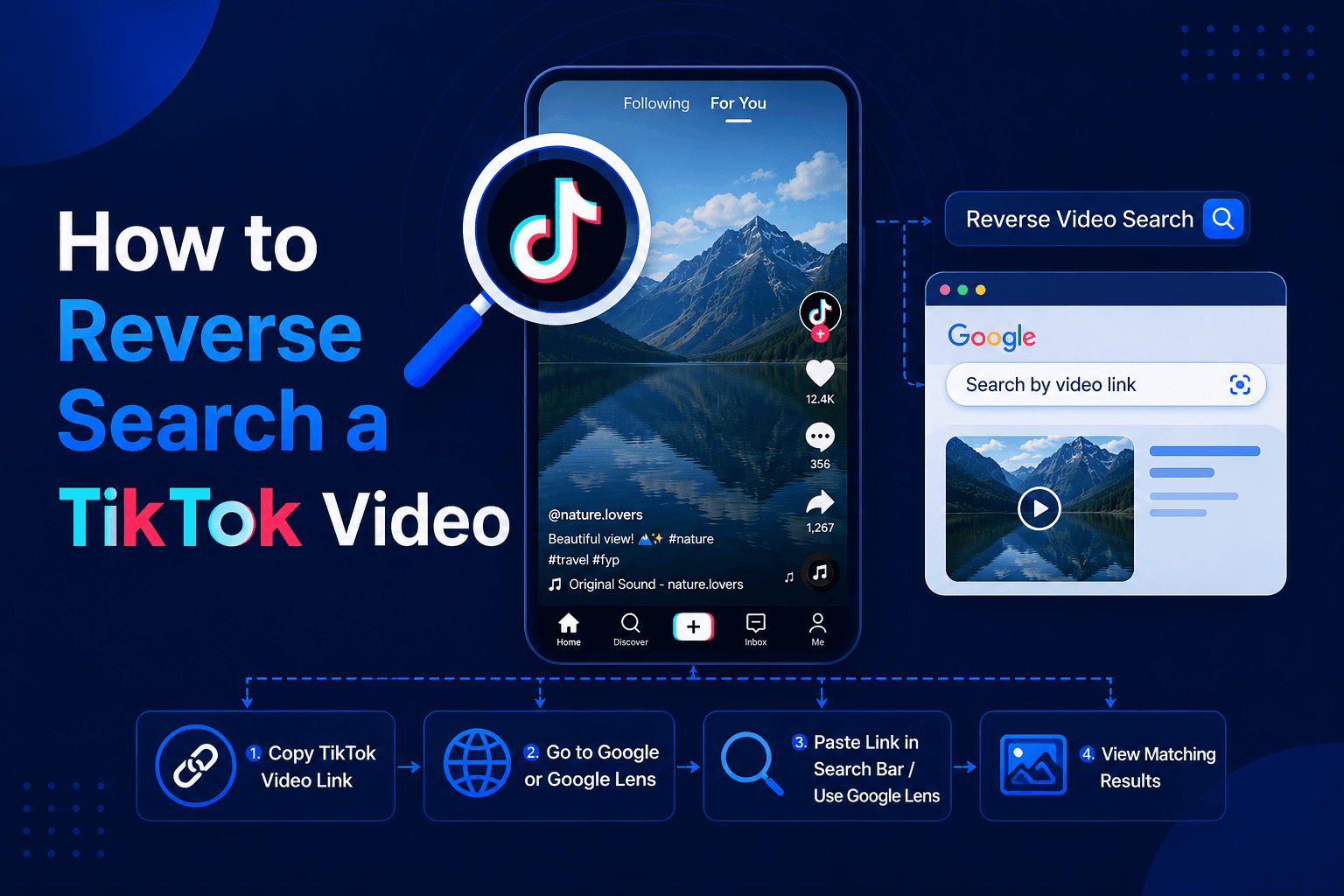
TikTok videos travel faster than almost any content on the internet. A clip posted this morning can be downloaded, stripped of its watermark, reposted by a dozen accounts, and re-uploaded to Instagram Reels and YouTube Shorts before lunch. Somewhere in that chain, the original creator's name usually disappears.
So when you find a TikTok video and want to know who actually made it, whether it is a repost, or if your own content is being stolen, you run into a problem: TikTok has no built-in reverse video search. There is no button inside the app that traces a clip back to its source.
That does not mean it cannot be done. In this guide, you will learn five working methods to reverse search a TikTok video, including a couple of tricks hidden inside TikTok itself that most people never use.
Why Reverse Search a TikTok Video?
People search TikTok videos in reverse for a handful of common reasons:
- Finding the original creator of a viral clip so you can follow them, credit them, or verify a repost
- Checking if a video is stolen. Reposters routinely crop out watermarks and claim clips as their own
- Protecting your own content. Creators use reverse search to find unauthorized re-uploads of their videos across TikTok and other platforms
- Fact-checking. Old clips constantly resurface on TikTok with new, misleading captions. Tracing the original upload reveals the real date and context
- Finding the full version. A 15-second TikTok excerpt often comes from a longer original video
- Tracing a clip you saw elsewhere. You spotted a video on Reels or Shorts and want to know if it started on TikTok
Whatever your reason, the methods below cover it. Start with Method 1 for the fastest path, or jump to the TikTok-native tricks in Methods 3 and 4 if you want to stay inside the app.
Method 1: Use a Reverse Video Search Tool (Most Reliable)
The fastest and most thorough option is a dedicated tool built for exactly this job. Our free reverse video search tool accepts TikTok links directly, so the process takes under a minute:
- Copy the TikTok video link. Tap the Share arrow on the video, then tap "Copy link." If you have the video saved to your phone instead, that works too.
- Paste the link (or upload the file) into the tool. It runs in any browser on iPhone, Android, or desktop, with nothing to install and no account needed. If you prefer to keep your phone app-free, this fits the browser-only approach we covered in our guide to reverse-searching a video without downloading an app.
- Run the search. The tool extracts the most distinctive keyframes from the clip, fingerprints them, and matches those fingerprints against indexed content across the web.
- Review the matches. You will see where the video appears online: other TikTok uploads, copies on Instagram, YouTube, Facebook, Reddit, Pinterest, and beyond. Compare upload dates to identify the earliest version, which usually points to the original creator.
The multi-frame approach matters more for TikTok than almost any other platform. Reposters crop, mirror, filter, and caption clips specifically to dodge detection, and those edits easily defeat a single-screenshot search. Matching dozens of frames across the clip's timeline is far more resistant to that kind of tampering. Our full guide on what reverse video search is and how it works explains the technology in plain language.
Method 2: Screenshot + Google Lens or Yandex
If you only have a screenshot, or you want a free second opinion, the classic frame search works for TikTok videos too:
- Pause the TikTok on a distinctive frame. Faces, text overlays, landmarks, and unique objects match best. Try to catch a moment without the username watermark bouncing through it.
- Screenshot it and crop away the TikTok interface: the like button, comments icon, caption, and sound bar. Search engines treat those UI elements as part of the image, and they poison your results with thousands of unrelated TikTok screenshots.
- Upload the cropped frame to Google Lens at images.google.com, then check "Find image source."
- Try Yandex Images next if Google finds nothing. Yandex is notably stronger for faces and for content from outside North America, which covers a lot of viral TikTok material.
One useful power move: add site:tiktok.com to a Google search alongside your visual results to filter matches down to TikTok pages only.
The single-frame method has real limits though. Google mostly indexes thumbnails rather than every frame, so plenty of legitimate matches never show up. We break down exactly why in our guide on whether you can reverse search a video on Google, and the deeper mechanics in our reverse video search vs reverse image search comparison.
Method 3: Trace the Sound (TikTok's Hidden Trick)
This one happens entirely inside TikTok, and it is the closest thing the app has to a native reverse search.
Every TikTok video displays its audio at the bottom. Tap the spinning record icon in the bottom-right corner (or the sound name in the caption), and TikTok opens the sound page showing every video that uses that audio.
Here is why that matters: if the audio is an original sound, TikTok credits it to the account that first uploaded it. That account is very often the original creator of the clip you are holding. Even for reposts with the watermark cropped out, the audio trail frequently survives.
On the sound page, look for:
- The "original sound by @username" credit at the top
- The video with the highest views or earliest appearance using that sound
- Whether the reposter's version links to someone else's original audio, which is a strong repost signal
This trick fails when reposters replace the audio or the clip uses a popular library song, but it costs you ten seconds to check and solves a surprising number of cases.
Method 4: Read the Watermark and Visual Clues
TikTok stamps a moving watermark with the creator's @username onto every downloaded video. Reposters try to remove it, but they are often sloppy about it, and the evidence they leave behind is readable if you know what to look for:
- A visible watermark is the jackpot. Note the @username and search it directly in TikTok. If the watermark username differs from the account that posted the video, you are looking at a repost.
- Unnatural cropping (tight framing, cut-off text, black bars on a 9:16 clip) usually means someone cropped out a watermark. The original likely exists uncropped elsewhere.
- Blurred or pixelated corners are another watermark-removal fingerprint.
- Double watermarks happen when a clip bounces between platforms: a TikTok logo underneath a CapCut or Reels export stamp tells you the clip's travel history.
- Check the comments. On viral reposts, someone almost always tags or names the original creator in the top comments. It is low-tech, but it works constantly.
Combine these clues with Method 1 or 3, and you can usually reconstruct the full repost chain.
Method 5: Search TikTok's Own Search Bar (For Describable Clips)
TikTok's internal search has become good at matching descriptions to videos. If the clip has clear, describable content, type what happens directly into TikTok's search bar: "dog opens fridge door husky," "street performer violin subway," and so on.
Sort the results by date where possible, and add likely hashtags. TikTok's search also indexes text overlays and spoken words in many videos, so quoting a phrase said in the clip can surface the original directly. This method is free, native, and surprisingly effective for distinctive content, though useless for generic clips.
Which Method Should You Use? Quick Comparison
| Method | Where It Runs | Best For | Weakness |
|---|---|---|---|
| Dedicated reverse video search tool | Any browser | Finding sources and reposts across platforms | Needs the clip or its link |
| Google Lens / Yandex screenshot | Any browser | Single frames, second opinions | One frame at a time, thumbnail-dependent |
| Sound page trick | Inside TikTok | Finding original creators fast | Fails if audio was replaced |
| Watermark and visual clues | Inside TikTok | Confirming reposts, reading clip history | Requires a careless reposter |
| TikTok keyword search | Inside TikTok | Describable, distinctive clips | Useless for generic content |
For anything important, stack them: run the clip through the dedicated tool, check the sound page, and scan the watermark and comments. The three together take under five minutes and catch what any single method misses.
Tips for Better TikTok Reverse Search Results
- Search the cleanest copy you can get. Every repost adds compression. If you can find a less-degraded version of the clip, search that one.
- Never search a screen recording. Screen recordings bake your phone's battery icon, clock, and UI into the frames, which wrecks visual matching. Use the shared link or a properly saved file.
- Skip the first and last seconds. Intros, outros, and CapCut templates appear in millions of videos and flood results with false matches.
- Compare dates carefully. The earliest upload is usually the original, but confirm with the account's other content. An original creator's profile typically shows related videos, higher quality versions, and a consistent style.
- Check beyond TikTok. Plenty of "TikTok videos" actually originated on YouTube, Instagram, or Twitch years earlier. A cross-platform search settles it.
Frequently Asked Questions
Does TikTok have a built-in reverse video search?
No. TikTok offers keyword search and the sound page, but no native way to search by video or image. Tracing a clip's source requires the external methods in this guide.
How do I find the original creator of a TikTok video?
Start with the sound page trick: tap the spinning record icon and look for the "original sound" credit. Then run the clip through a reverse video search tool and compare upload dates across the matches. The earliest upload from an account with related content is almost always the original creator.
Can I reverse search a TikTok video that has no watermark?
Yes. Watermark removal defeats casual checking but not visual matching. A multi-frame reverse video search analyzes the content of the clip itself, so it finds matches regardless of whether the watermark survived.
How do I check if someone stole my TikTok video?
Paste your video's link into a reverse video search tool and review every match. You will see re-uploads on TikTok and other platforms. Screenshot the evidence, note upload dates, and use TikTok's in-app reporting or a copyright takedown request against the reposts.
Can I find a TikTok video from a screenshot someone sent me?
Often, yes. Crop out any chat interface and phone UI, then search the frame through Google Lens and Yandex. If you can extract any detail (a username fragment, a caption phrase, the audio name), search those directly in TikTok too.
Is it safe to upload a TikTok video to a reverse search tool?
With a reputable tool, yes. Our tool requires no account, processes videos only for the search, and deletes them after your session. Avoid uploading private or sensitive videos to any online service unless you have the right to share them.
Final Thoughts
TikTok's speed is exactly what makes tracing its videos hard: clips outrun their creators' names within hours. But between multi-frame visual search, the sound page, watermark forensics, and a few well-chosen keywords, almost any public TikTok clip can be traced back to where it started.
The workflow to remember: copy the link, run it through a dedicated search, then confirm with TikTok's own clues. Try the first step right now with our free reverse video search tool. Paste any TikTok link, and see every place that video lives online.